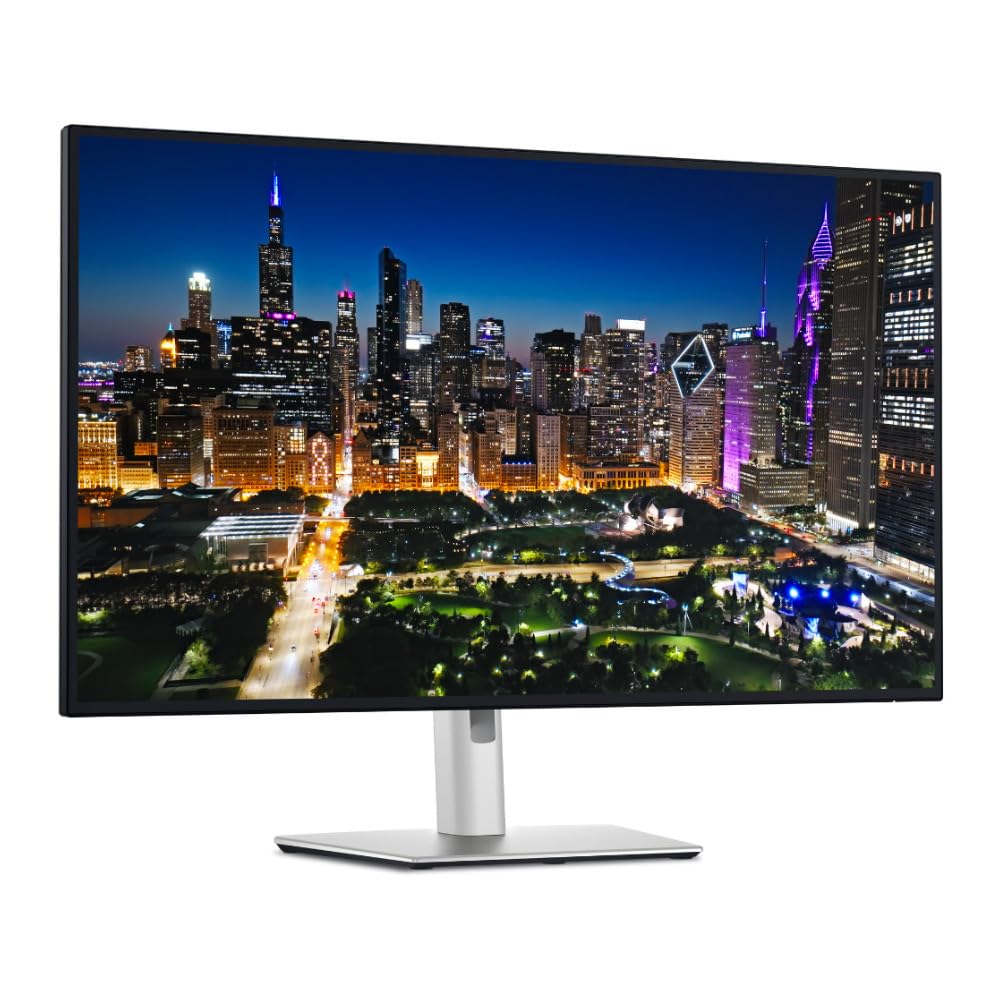
The Dell UltraSharp U3225QE is the flagship one-cable office monitor for desks that run on a laptop: a 32-inch 4K IPS Black panel at 120Hz with a measured 2900:1 contrast, plus a Thunderbolt 4 hub pushing 140W of charging, 2.5GbE Ethernet, and a KVM switch. Brightness measurements vary by outlet and HDR is flat on the edge-lit backlight, so buy it for SDR work — not gaming or cinema — and check the current price on Amazon before committing.
— THE VERDICT · JUDGEANY EDITORSThe flagship one-cable monitor, upgraded
Dell shipped the UltraSharp U3225QE in early 2025 as the new flagship of its office monitor line: a 32-inch 4K IPS Black panel at 120Hz, with a Thunderbolt 4 hub that pushes 140W of charging. Reviewers' measurements land close to Dell's headline numbers — 3000:1 contrast, 600-nit brightness — which is not something you can say about every monitor. JudgeAny runs no test lab. This review gathers manufacturer specs, published expert measurements, and owner reports, and the scores are editorial judgments built on that evidence.
Image quality: contrast, finally — but check which number you read
Dell's headline claim is a 3000:1 native contrast ratio from the latest IPS Black panel. PCWorld's Foundry test bench (Matthew Smith) measured 2900:1 at 50 percent brightness, and called it an excellent result — clearly ahead of older IPS Black panels and far beyond conventional IPS. Sustained SDR brightness hit 469 nits, plenty for a sunlit room, behind an anti-glare coat that PCWorld described as semi-gloss rather than full matte.
The numbers disagree once you compare outlets. RTINGS scores the U3225QE's contrast only 7.1 out of 10, which it labels "decent" — a rating one MacRumors owner quoted while finding the blacks slightly weaker than on his older 6K U3224KB. The two scales answer different questions: RTINGS grades against every panel type including OLED, while PCWorld measured 2900:1 in absolute terms — near-record territory for IPS. So the conclusion stands, with a boundary: this is the best contrast you can get without going OLED, which is a different statement from "best contrast."
Brightness has its own split. Laptop Mag's measurements never saw the panel pass 350 nits, while PCWorld measured 469 nits. Test conditions differ — Laptop Mag reports peak average brightness while PCWorld measured sustained SDR output — and either figure covers any normal office. Do not expect the full 600-nit claim outside HDR.
Color accuracy and creative work
PCWorld's gamut measurements came back at 100 percent sRGB, 98 percent DCI-P3, and 92 percent Adobe RGB — close to Dell's 100 percent sRGB and 99 percent DCI-P3 claims. That makes the U3225QE good enough for photo and video editing, not just spreadsheets. Techie Mag's reviewer went further, calling it the best IPS panel he had seen for contrast, while warning the 3000:1 figure only holds below full brightness. One forum photographer upgrading from an older U3219Q called the sharpness and color punch a big step up and excellent value for the money.
The Thunderbolt hub: one cable, 140 watts
This is the other half of the purchase. A single Thunderbolt 4 cable carries 4K video at 120Hz, data, and up to 140W of charging — enough for a 16-inch MacBook Pro or a power-hungry workstation laptop. Behind that: 2.5GbE wired Ethernet, a DisplayPort output for daisy-chaining a second screen, HDMI 2.1, DisplayPort 1.4 input, five USB-A and multiple USB-C ports, a KVM switch sharing one keyboard and mouse between two PCs, and Picture-by-Picture modes. Auto KVM, Display Manager support, and Dell's Power Button Sync round out a hub that covers everything a desktop dock would.
The complaints here are physical, not electronic. Laptop Mag noted the panel is prone to shaking on its stand — a tall 32-inch screen on a single-column stand will always have some wobble, but reviewers flagged it as worse than expected. There are no speakers at all, and one owner thread on Dell's own site reports early buyer reviews were critical of screen quality and support, though Dell backs the monitor with a 3-year warranty and Advanced Exchange.
120Hz motion and HDR: know what you are buying
The 120Hz refresh rate with 48–120Hz variable refresh makes scrolling and cursor movement visibly smoother, and the 5 ms (fast) response time is fine for casual play. One MacRumors owner running office apps on a MacBook Air said he could not tell 120Hz from 60Hz in Mail, Word, and Safari. Worth knowing before you pay extra for it: the benefit shows up in motion and fades in static work.
HDR is the clearer miss. The monitor wears a DisplayHDR 600 badge, but PCWorld found HDR flat and dull: a conventional edge-lit LED backlight cannot isolate bright objects the way a zoned Mini-LED backlight can, so high-contrast scenes look washed out. If you buy this monitor, buy it for SDR — which is where every office and creative app lives anyway — and leave HDR off.
Price, value, and who should buy it
Pricing has drifted since launch. Laptop Mag reported it as a solid value under $1,000 at launch in February 2025; a forum owner paid $995 in the US in March 2025; a MacRumors post from June 2025 quoted Dell's own price at $1,029.99 against $1,099.99 at B&H; and the price tracker pcspecchart.com recorded an Amazon price of $815 on October 2, 2026. Check the current price on Amazon before buying — this is a monitor that rewards patience with sales.
Buy this monitor if you want a 32-inch 4K desk screen that also replaces your dock, you care about contrast and color more than refresh rate, and you would rather not gamble on OLED burn-in for a static desktop. Skip it if raw sharpness matters most — PCWorld noted that price-competitive monitors match or beat it on SDR image quality, and 27-inch 5K panels pack denser pixels. Gamers and HDR movie watchers should look at a proper gaming panel or an OLED instead.